
SuperPilot Expansion Beta 2.2
18-component package for Super Pilot
SuperPilot Expansion Beta 2.2 is an unofficial BepInEx expansion pack for Super Pilot, adding new controls, track-editor tools, custom environments, display/input improvements, custom resources, custom machines, and update notifications. The installer lets users select individual components and automatically selects required dependencies.
Beta 2.2 introduces Expansion Patcher and Climax Action. It also includes Super/Spin Boost, per-machine boost SFX, stronger Energy gage and Means of Attack integration, SPRO boost-audio fixes, improved focus recovery, and a paused photo mode.
Download
SuperPilot Expansion Beta 2.2 introduces Expansion Patcher (startup update notifications) and SuperPilot Climax Action (Super Boost & Spin Boost).
Includes per-machine boost SFX in Machine Expansion, stronger Energy gage & Means of Attack integration, SPRO boost audio overlap fixes, Gamepad Fix focus recovery improvements, and a paused photo mode (F8) in Camera roll.
Public distribution is now unified into the installer mode. The installer allows selecting from 18 individual components + optional "SPRO Default Theme", automatically resolving dependencies.
A corrected installer is now available. Expansion Patcher has been updated to 0.3.1, and environments that cannot use the standard Windows update dialog now retain all three options: Apply update, Open website, and Ignore and launch. If you installed Beta 2.2 using the previous installer, download the corrected installer and install it over the existing copy.
Back up your custom tracks and existing BepInEx configuration before installing.
- Means of Attack & Climax Action: Require Energy gage and SPRO; operate only in Quick Race and Custom League.
- Machine Expansion: Operates only in offline Quick Race and Custom League modes.
- OCEAN PACK: Flat roads are recommended underwater. Pipe/cylinder tracks may collide with generated tunnels.
- Track Editor Extender: Save as a separate file before flipping tracks or editing beyond standard bounds.
- Climax Action: Extreme speeds (5,000 km/h class) carry risks of loss of control, collisions, or going off-track.
SuperPilot Expansion Beta 2.2 Installer
Select and install from 18 components. Selecting Means of Attack automatically includes Energy gage & SPRO. Selecting Climax Action automatically includes Energy gage, Means of Attack & SPRO. Selecting environment packs includes ENVIRONMENT Expansion. Selecting Default Theme includes SPRO. Includes optional "SPRO Default Theme".
Download Windows Installer (Corrected 0.3.1)THIRD_PARTY_NOTICES.md included in the installer.Windows Installer Features & Limitations
Public distribution is unified into a standalone Windows x64 installer (internal version 2.2.0.0) supporting Japanese and English.
✔ Features
- Standalone Windows x64 executable (no additional runtime installation required)
- Bilingual UI (Japanese / English with auto-detection & manual toggle)
- Individual selection across all 18 component items + optional SPRO Default Theme (19 total selectable items)
- Selecting "Means of Attack" automatically selects Energy gage and SPRO dependencies
- Selecting "Climax Action" automatically selects Energy gage, Means of Attack, and SPRO dependencies
- Selecting environment packs automatically selects ENVIRONMENT Expansion dependency
- Selecting "SPRO Default Theme" automatically selects SPRO dependency
- Selecting Track Editor Extender backs up and disables legacy editor mods (Track Flipper, WIDTH Expansion, Field extender)
- Includes optional "SPRO Default Theme" (installed to
Super Pilot\MOD\Resource). Default Theme source is in-gameMOD\Sample Theme - Verifies
SuperPilot.exe, running game process, write permissions, and BepInEx 6 IL2CPP installation - Optionally fetches verified BepInEx files from official release if missing
- Automatic backup of overwritten config and existing files
- Automatic rollback on installation failure
⚠ Limitations
- Does not create an uninstaller
- Does not register under Windows "Installed Apps"
- Does not unconditionally replace existing custom BepInEx installations
- Uninstallation instructions are documented in each component's README
SuperPilot Machine Expansion & Importer
Details on machine expansion features and the importer. Beta 2.2 adds per-machine manual boost SFX and fixes session retry base-machine reset issues.
Machine Importer (Version 1.8.5)
- Location:
Super Pilot\Importer - Offers to create a desktop shortcut upon installation completion.
- 4 included sample machines:
meshy-blue-04,meshy-devil-562,meshy-gam-27,meshy-star-922(sample machineManual_Boost.wavexcluded). - Each sample includes Bundle, manifest, icon, preview, re-editable
source.zip, and editable config files.
Redistributing AssetBundles generated from non-original 3D models is strictly prohibited. Verifying copyright and usage rights for models, textures, and images is the user's responsibility.
External Component Conversion Policy
- AssimpNetter / Assimp: Bundled for parsing OBJ, FBX, DAE, glTF/GLB models.
- GBX.NET, Pfim, Poly2Tri: Bundled for converting TrackMania Solid.Gbx tracks.
- GBX.NET.LZO: Not bundled. Downloaded from official NuGet with SHA-256 validation only when user explicitly agrees to TrackMania conversion.
- Full third-party notices are included in
Importer\THIRD_PARTY_NOTICES.txt.
Preview (Videos & Screenshots)
🎬 Beta 2.2 Gameplay Preview Videos
🖼️ Screenshots & Photo Mode Gallery
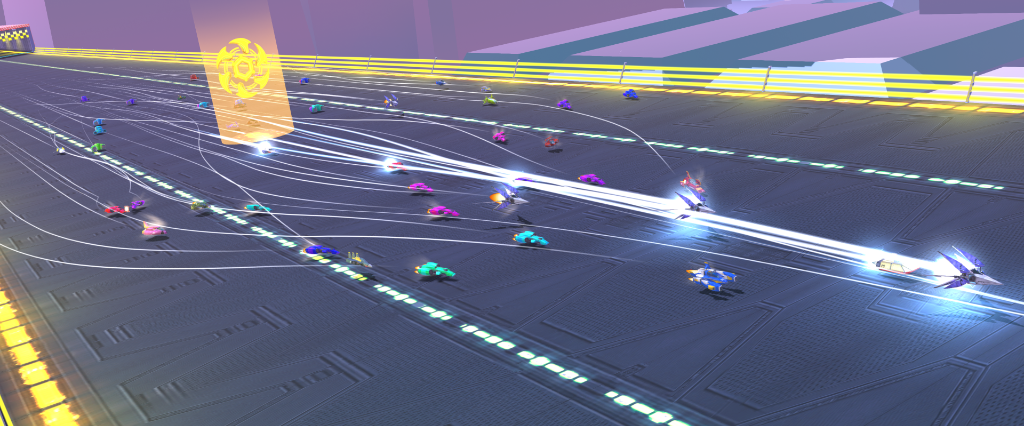
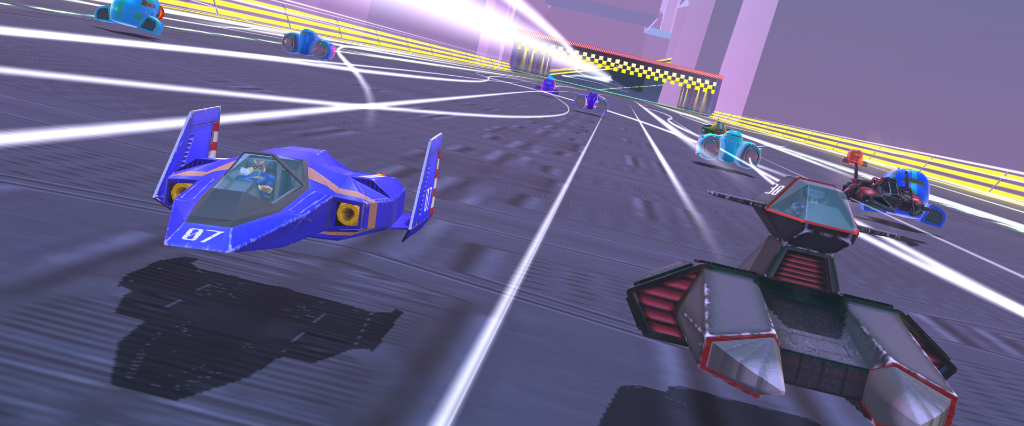
* Model is not included in distribution.
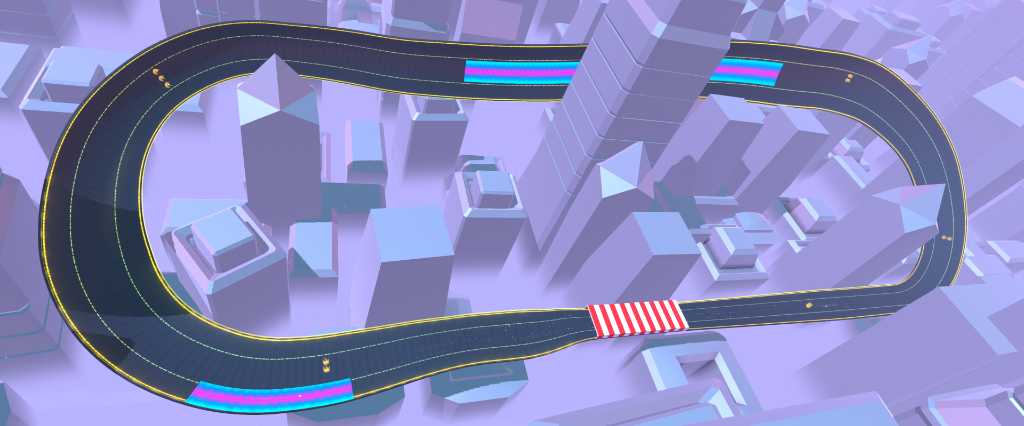
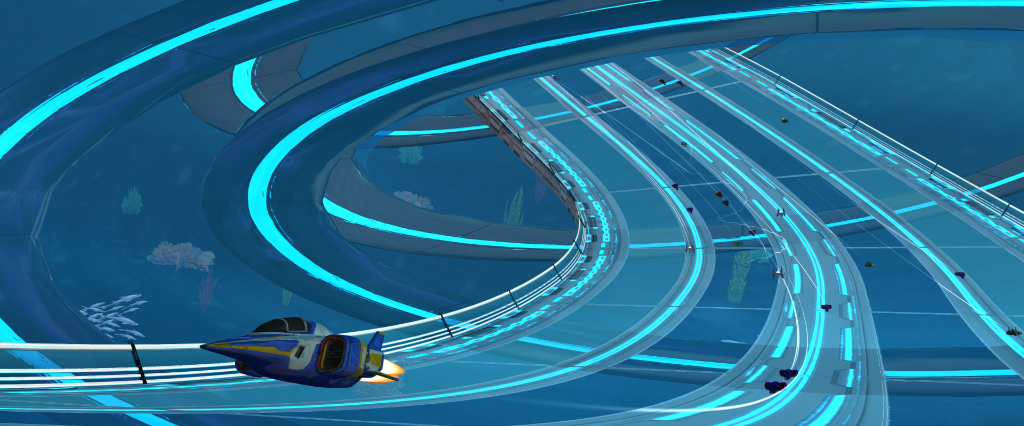
Included Content (18 Components)
All 18 components can be selected individually in the installer.
・`Check Web` to open site, `Ignore & Launch` to continue
・`Apply Update` applies verified patches via standalone updater with backups
・Game launch continues on network/validation errors
・Super Boost consumes per-lap Reactormight (double-tap boost in 0.5s)
・Spin Boost trade energy/risk for 5,000 km/h class top speeds
・Requires: Energy gage, Means of Attack, SPRO
・Preserves standard windowed mode for Lossless Scaling compatibility
・Prevents focus loss and smooths multi-monitor switching
・Supports 30 to 240 FPS integer targets
・Displays FPS counter in bottom-left corner
・F7 toggles Draw/Select mode on Splines
・F8 toggles track flip panel
・Expands road width limits and field boundaries
・Adds Climax Action integration features
・Requires: Energy gage, SPRO
・Climax Action and Machine Expansion integration
・Survival logic when energy drops to 0 strictly from boost consumption
・Optimized custom environment save handling
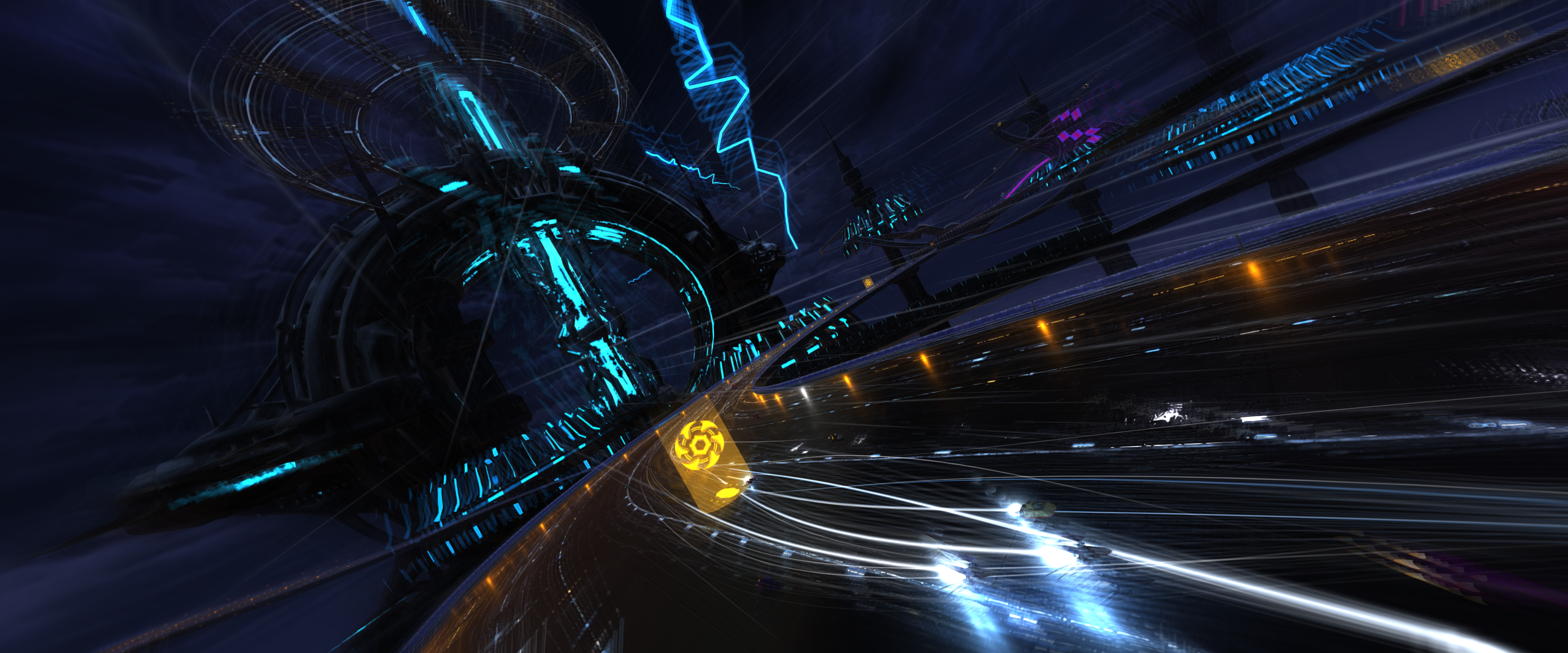
・Thunderclouds, rain, lightning, wet surfaces, power facility
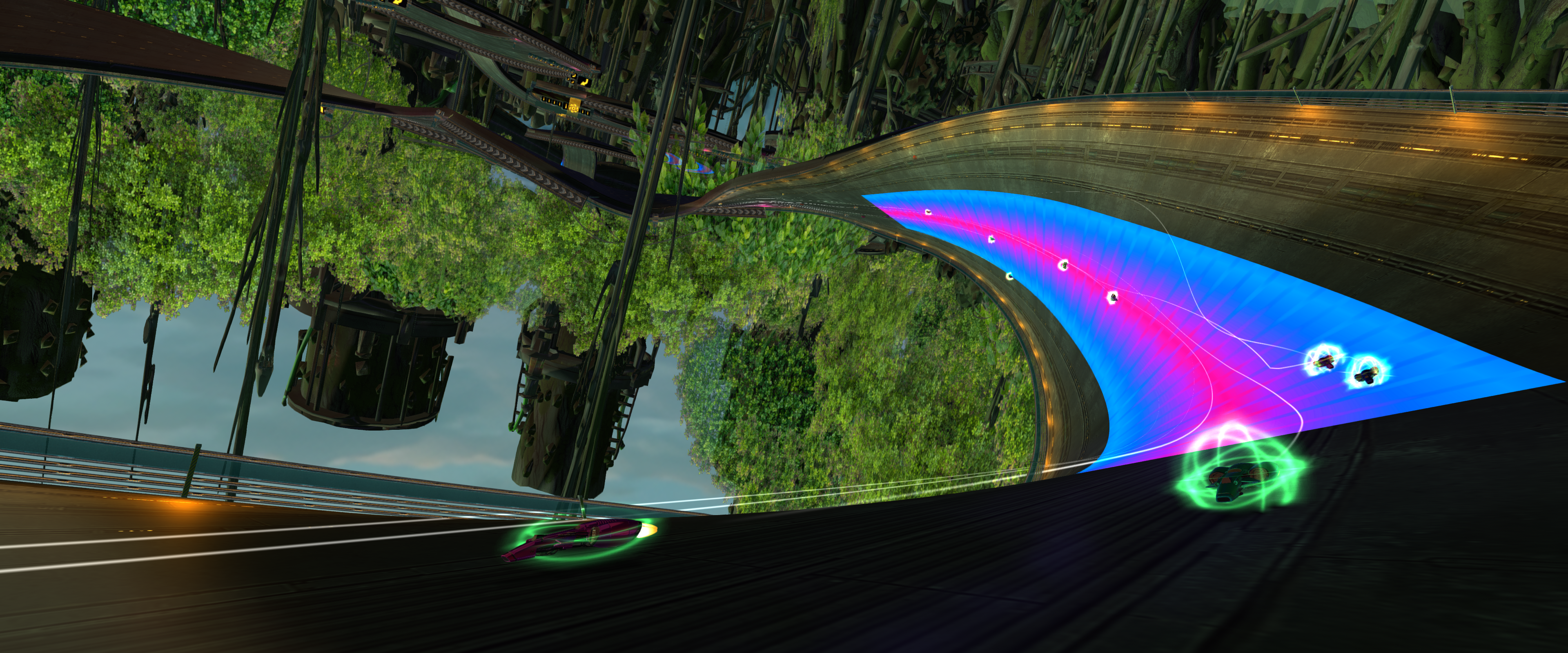
・Giant trees, industrial structures, canopy, speed-reactive leaf particles
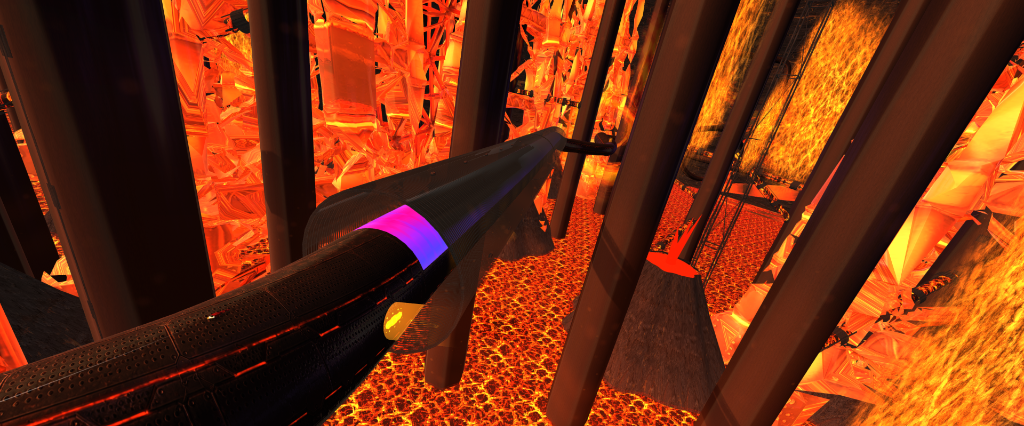
・Lava rivers, heat haze, magma fields
・Vast ocean surface and underwater track support
・Fixes manual/drift boost sound overlaps
・Supports Machine Expansion per-machine SFX & Climax Action SFX
・Enhanced focus recovery handling
・Adds paused photo mode toggled via F8
・Adds per-machine boost SFX and duration config
・Fixes reset to base machine after session retries
Super Pilot/Importer/
・Bundled as operational assets in installer
・Default Theme source is in-game
MOD/Sample Theme
SPRO (SuperPilot Resource Override) encourages creators to build and publish custom theme packs using their own original music, sound effects, and images.
_DROP_MP3_OGG_OR_WAV_HERE.txt) are maintained under Music subdirectories. Feel free to share your verified custom themes!
SPRO Music Guide — Tagging Metadata in Audacity
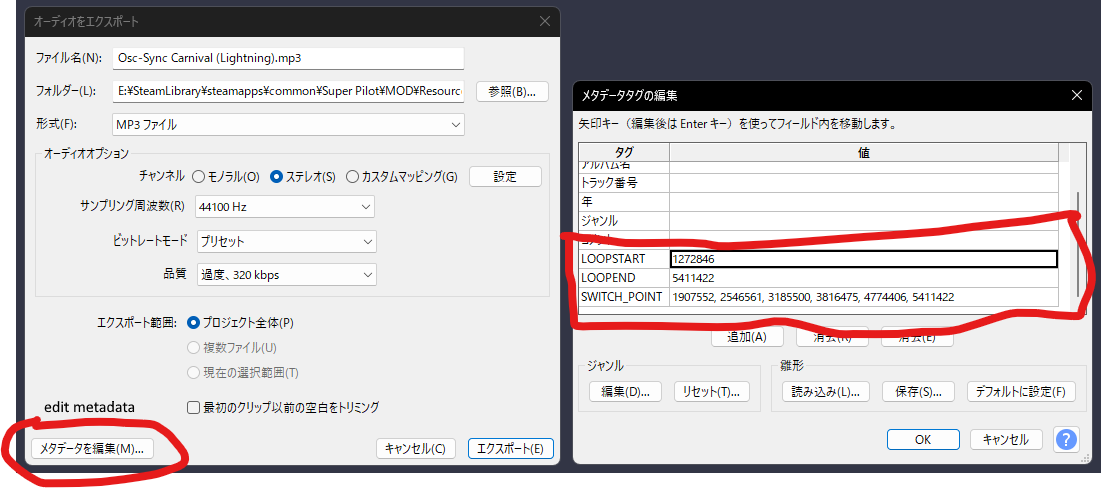
SPRO reads specific metadata fields in audio files to determine loop points and final-lap synchronization markers. Audacity (free audio editing software) allows writing these metadata tags during file export.
Supported Metadata Fields
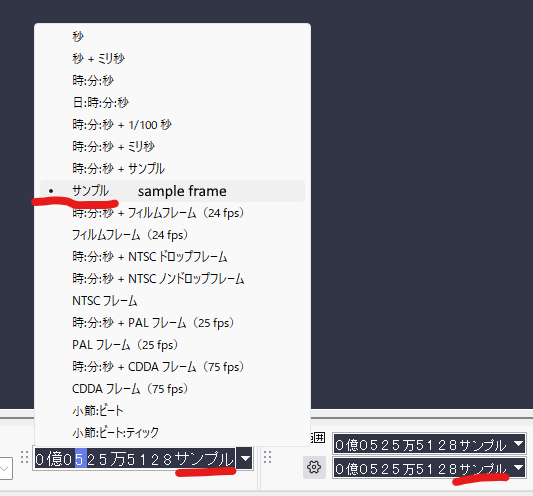
LOOPSTART | Loop start position (sample frames) |
|---|---|
LOOPEND | Loop end position (sample frames). Used together with LOOPSTART |
SWITCH_POINT | Synchronized transition point to final-lap BGM (sample frames) |
To view sample frames in Audacity, set position display units to "samples".
Audacity Tagging Steps
- Open audio file in Audacity
- Menu → Edit → Edit Metadata…
- Add fields
LOOPSTART,LOOPEND,SWITCH_POINTas needed, and enter sample frame values - Click OK and export file (OGG or WAV format)
Final-Lap BGM Synchronization
Final-lap BGM tracks are placed in the designated folder with matching filenames and extensions.
Setting the SWITCH_POINT tag enables seamless, beat-synchronized switching from normal BGM to final-lap BGM as soon as final lap begins.
Refer to CONFIG_GUIDE_EN.txt in the download for folder layout details.
Resource Distribution Policy
- The manual ZIP and installer do not include sample audio, sample images, or F-ZERO resources.
- SPRO includes empty folder structures, 31 bilingual guidance files, and Expansion title graphics for placing user-provided assets.
- Users are guided to place their own rights-cleared custom assets into the template. No standalone resource/audio collection is distributed.
Installer Installation Procedure
SuperPilot Expansion Beta 2.2 public distribution is unified into the installer mode. The installer automatically verifies the game directory, backs up existing configurations, and places components.
BepInEx/config) before installing.- Close Super Pilot if it is running.
- Launch the downloaded
SuperPilot Expansion Beta 2.2 Installer.exe. - Verify that your game installation directory (containing
SuperPilot.exe) is selected correctly. - Select desired components (all 18 items + optional SPRO Default Theme). Required dependencies are automatically selected.
- Follow on-screen instructions to complete installation.
Shortcuts (SPRO, Track Editor Extender & Camera roll)
| Component / Key | Function |
|---|---|
| Track Editor Extender: F7 | Toggle standard Draw/Select on unfinished/finished splines |
| Track Editor Extender: F8 | Toggle track flip panel |
| Camera roll: F8 (Paused) | Toggle photo mode |
| SPRO: Ctrl + Alt + F6 | Output active resource list |
| SPRO: Ctrl + Alt + F7 | Reload resources |
| SPRO: Ctrl + Alt + F8 | Clear overrides and restore defaults |
System Requirements
| Target Game | Super Pilot (Steam App 648050) |
|---|---|
| Target Build | 15732223 |
| Unity Version | Unity 2018.4.36f1 |
| Required Runtime | BepInEx Unity IL2CPP 6 (win-x64) ↗ |
| Supported OS | Windows x64 |
| Status | Beta 2.2 / Unofficial Expansion Pack |
BepInEx\interop\Assembly-CSharp.dll is not used for launch blocking. Compatibility is evaluated via Steam build, GameAssembly.dll, global-metadata.dat, required types/methods, and plugin API capability checks.
Notices & Disclaimer
- SuperPilot Expansion Beta 2.2 is an unofficial expansion pack. It is not affiliated with Dopagames or Valve Corporation.
- Always back up custom tracks and BepInEx configs before installation.
- As a beta release, operation, compatibility, save data integrity, and streaming/recording stability are not guaranteed.
- Use of this mod package is at your own risk.
- Operation is only guaranteed on Steam build 15732223.
- Means of Attack, Climax Action, and Machine Expansion operate only in Quick Race and Custom League modes.
- SPRO boost SFX overlaps are fixed in Beta 2.2. Supports Machine Expansion per-machine SFX and 3 Climax Action SFX.
- Frame Rate Optimizer target FPS depends on hardware capabilities and scene complexity.
- FOREST PACK High presets incur heavy GPU load; use Optimized presets if needed.
- OCEAN PACK underwater pipe/cylinder tracks may collide with generated tunnels; flat roads are recommended underwater.
- F-ZERO resources are not distributed. Verify usage rights when using custom material.
- Redistributing AssetBundles created from non-original 3D models is strictly prohibited.
- Designed to avoid modifying base game files or saves, but pre-installation backups are strongly recommended.
- Direct linking to download files is prohibited. Please link to zklb.org.
Architecture
- Uses a pure DLL extension model (BepInEx plugin) that leaves game files untouched.
- Designed to minimize online server impact.
- Game-breaking features are excluded by default or rate-limited.
SHA-256 File Verification
Verify downloaded files against the SHA-256 checksum below before running.
SuperPilot Expansion Beta 2.2 Installer.exe.sha256.txtGet-FileHash ".\SuperPilot Expansion Beta 2.2 Installer.exe" -Algorithm SHA256 | Select-Object HashCredits
Developer
Planning, Direction, and Production: Shichigami76 (Zakkey)
Audio Assets Credit
Default Theme audio assets are sourced from the following providers:
Notice: These audio files are integrated solely into the installer as operational resources for SuperPilot Expansion, SPRO, and Means of Attack features. They are not provided as a standalone audio-material collection. Do not extract, redistribute, or resell the source materials separately.
Test Systems
- AMD Ryzen 9 9955HX3D / NVIDIA GeForce RTX 5070 Ti / 64 GB DDR5-6000
- AMD Ryzen 9 7945HX3D / AMD Radeon RX 9070 XT / 64 GB DDR5-5600
Development Tools & Links
See included CREDITS_EN.txt for complete details.
- Antigravity — Website Production — https://antigravity.google/
- AssetStudio — Unity AssetBundle Extractor — https://github.com/Perfare/AssetStudio
- Audacity — Audio Resource Production — https://www.audacityteam.org/
- Codex / GPT-5.6 Sol — Main Coding — https://openai.com/codex/
- ChatGPT / GPT-5.6 Sol — Planning & Instruction Conversion — https://chatgpt.com/
- Cursor / Grok 4.5 — Environment Implementation — https://cursor.com/
- Cursor / Fable 5 — Initial Phase Assistance — https://cursor.com/
- Canvas — Image Generation Assistance — https://help.openai.com/en/articles/9930697-what-is-the-canvas-feature-in-chatgpt
- Unity 2018.4.36f1 (64-bit) — Environment Bundle Production — https://unity.com/releases/editor/archive
- Visual Studio Code — Sub-coding — https://code.visualstudio.com/
Third-party notices
SuperPilot Expansion (SPRO and Machine Importer) uses open source software and libraries. See THIRD_PARTY_NOTICES.md and Importer\THIRD_PARTY_NOTICES.txt for details.
License: MIT License
Copyright (c) 2020 Andrew Ward
Usage: Ogg Vorbis decoding